
Trustline
One-to-ones, trust, and career paths for engineering managers
Trustline keeps the record an engineering manager needs and nobody else should read. It follows the team-management chapter of The Engineering Protocol Stack: the sessions you hold, the trust you have actually earned, and the career path each person on your team is on.
Download
Free, with no account and no email address required. Paid additions may come later; what is here stays free.
Universal · Intel and Apple silicon
Windows 10 or later · 64-bit
AppImage · x86_64 · Ubuntu 22.04 or newer and equivalents
.deb · Debian 12+, Ubuntu 22.04+, and derivatives
Version 0.2.0 · All releases and release notes
The first launch needs one extra step
These builds are not yet signed with a paid developer certificate, so macOS and Windows will both warn that the publisher cannot be verified. This is what the warning means in practice: the operating system can see that the file carries no certificate it recognises, not that it found anything wrong with it. On macOS, right-click the app and choose Open, then confirm once. On Windows, choose "More info" and then "Run anyway". Certificates are being obtained and the warnings will disappear in a later release.
A look at it
What it does
One-to-one sessions
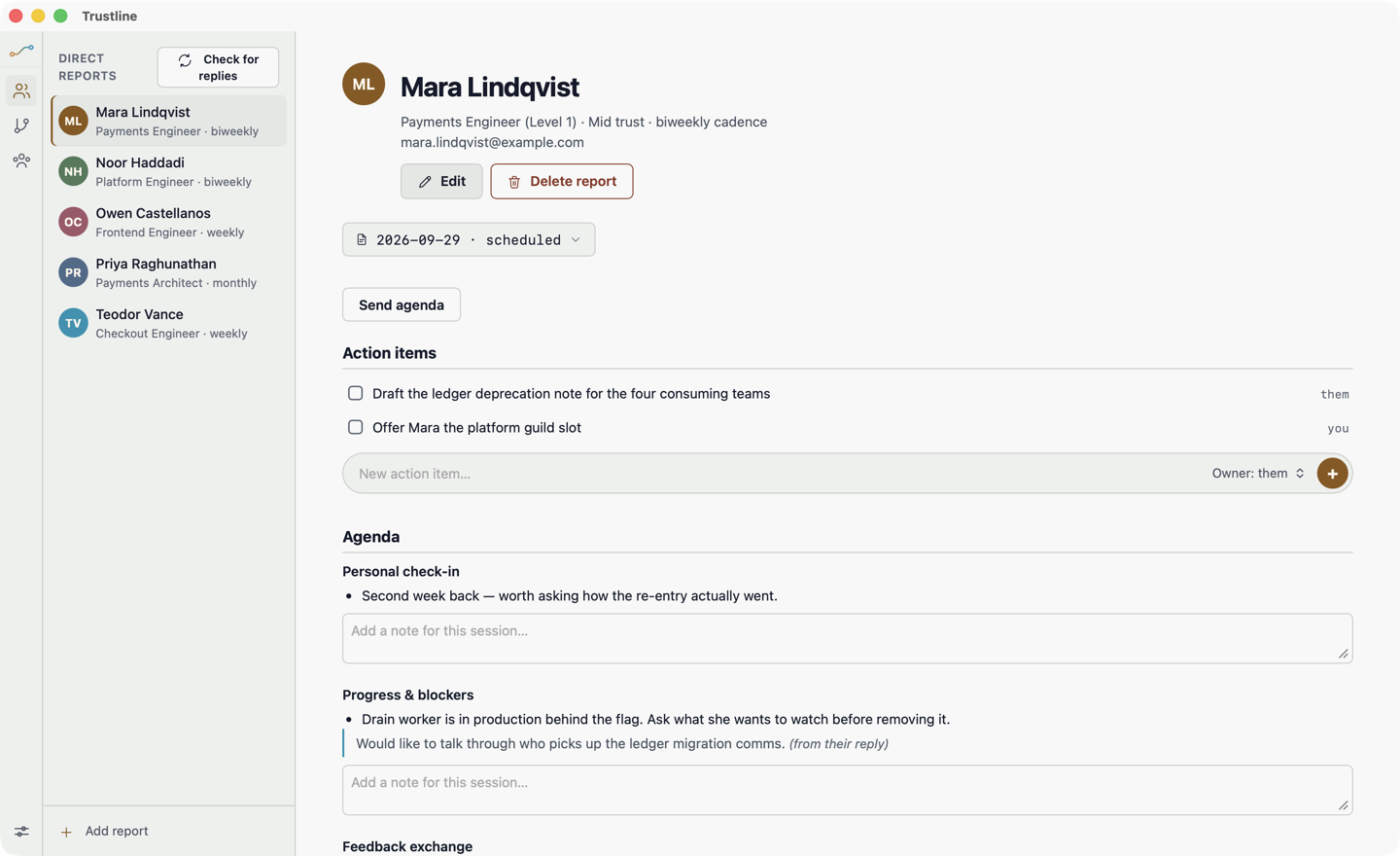
A structured record of every one-to-one — what was discussed, what was agreed, and what is still open — so the next session starts where the last one ended instead of from memory.
Trust, tracked honestly
Trust is the currency a manager actually spends. Trustline asks you to state where it stands with each report and keeps the history, which makes a slow decline visible while it is still fixable.
Career path canvas
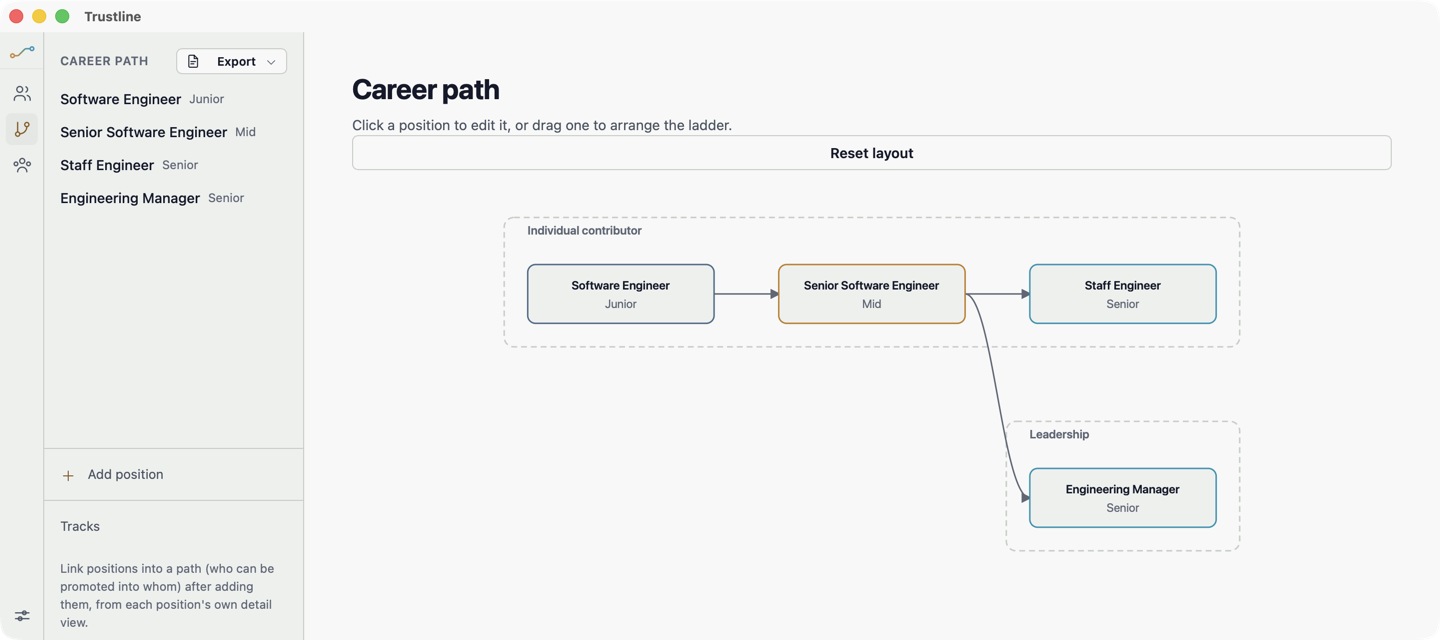
Place every report on a visual career path, group them by team or level, and see the whole shape of your organisation's growth on one canvas instead of in a spreadsheet nobody opens.
Reports you can hand over
Export the career path as a PDF to take into a calibration meeting, a promotion committee, or a conversation with your own manager.
Teams and documents
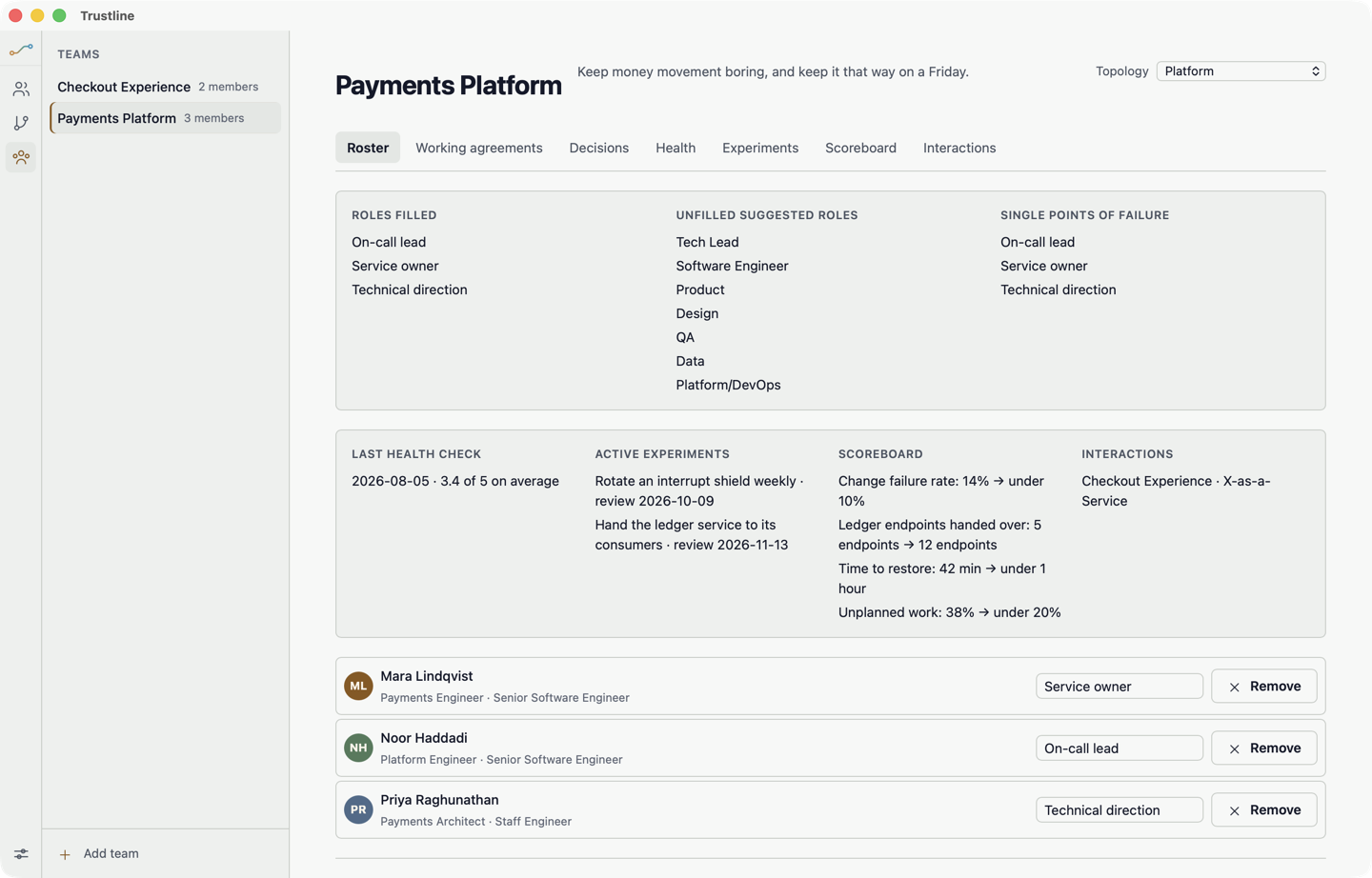
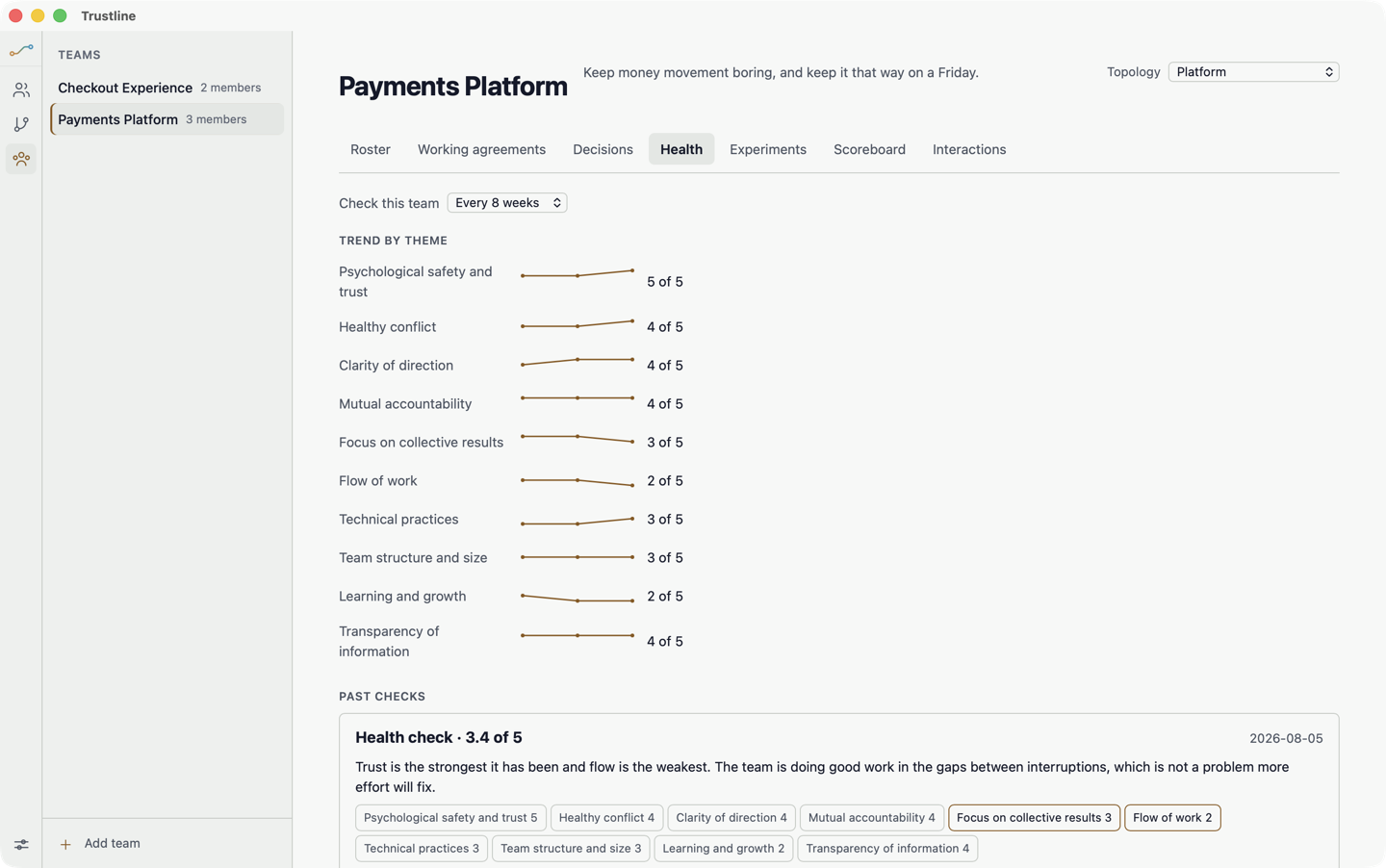
Group reports into teams and keep the documents that belong to each — charters, on-call rotations, working agreements — beside the people they apply to.
Email from your own accounts
Reach your team through the mail accounts you configure yourself. Credentials go to your operating system's keychain, never to a file and never to us.
Why it has no account
The subject matter is private notes about identifiable people, which is the strongest possible argument against storing it on someone else’s computer. Trustline has no account, no sign-up, and no backend of its own. Your notes are ordinary files in your own user directory, and the only servers the app contacts are the mail accounts you enter yourself and, once a day, GitHub — to ask whether a newer version has been published. That request sends nothing about you or your notes, and you can turn it off. Nothing is synced, nothing is analysed, and there is no telemetry.